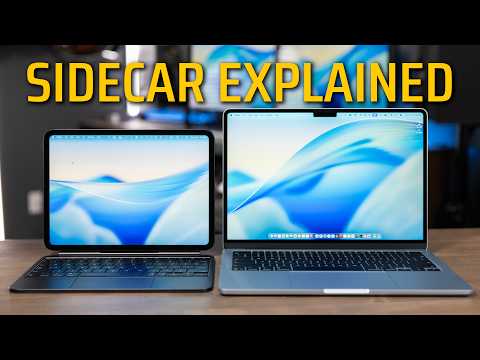
Sidecar is a free built-in feature on Mac and iPad that turns your iPad into a real second display, wired or wireless, no extra hardware needed. In this video I walk through the requirements, how to set it up both ways, the gestures you can use, and the tradeoffs of wired versus wireless. By the end you’ll know exactly how to set it up and whether wired or wireless makes more sense for your workflow.
🔗 My favorite cables: [https://geni.us/nGCkBKA
My Gear & Other Recommendations
My Desk Setup: https://www.youtube.com/watch?v=RZ4v-Uu0Kt8&t=1s
My Full Video Making Kit: https://adamtalks.tech/gear
As an Amazon Associate and a B&H affiliate, I earn from qualifying purchases. This video contains affiliate links. If you click a link and make a purchase from either Amazon or B&H, I may earn a small commission at no extra cost to you.
DO YOU HAVE A PRODUCT YOU’D LIKE ME TO REVIEW?
You can drop me an email at adam@adamtalks.tech
Visit my website https://adamtalks.tech
00:00 What is Sidec…

著者について