Free, open-source, zero telemetry, and over 8,000 people on GitHub trust it enough to star it.
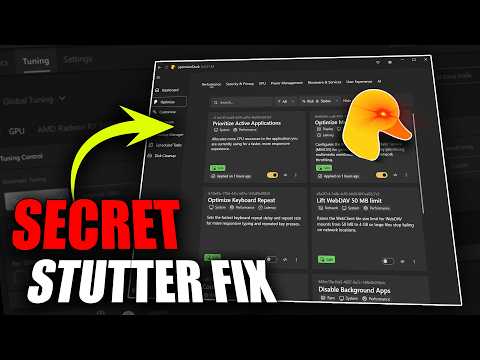
optimizerDuck eliminates GPU stutter, fixes PCIe power delays, and cuts background CPU load — and
every single tweak inside is tagged Safe, Caution, or Expert right in the interface, so you know
exactly what you’re touching before you touch it. This app is genuinely massive, so today covers
setup and the Optimize tab — the part that actually moves your FPS.
optimizerDuck eliminates GPU stutter, fixes PCIe power delays, and cuts background CPU load — and
every single tweak inside is tagged Safe, Caution, or Expert right in the interface, so you know
exactly what you’re touching before you touch it. This app is genuinely massive, so today covers
setup and the Optimize tab — the part that actually moves your FPS.
⏱ TIMESTAMPS
0:00 Intro
00:47 Download & Setup (important: read this before running it)
02:12 Dashboard
02:44 How the Optimize tab works (Safe/Caution/Expert system)
03:46 Performance
04:23 Security & Privacy
05:04 GPU (AMD + NVIDIA)
06:59 Power Management
07:54 Bloatware & Services (Expert-tagged — watch this one)
08:24 User Experience
08:44 Outro
⚠️ BEFORE YOU DOWNLOAD
This app isn’t code-signed (expensive for a free open-source project), so Windows may flag it.
Verified 0/62 on VirusTotal myself. If it fails to launch, check Set…

著者について