Want to get more out of your Windows 11 PC? In this video, we explore useful customization options, productivity improvements, and advanced security features that every Windows user should know.
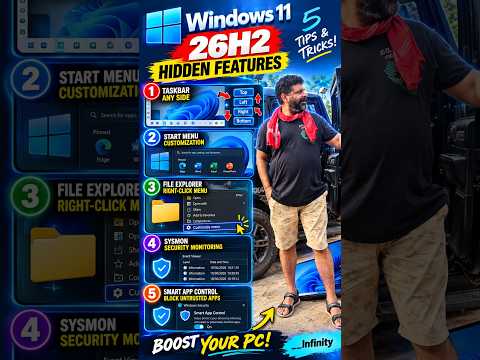
🔥 5 Windows 11 Tips & Tricks Covered:
1️⃣ Taskbar Customization
Explore taskbar personalization options and create a desktop workspace that suits your workflow.
2️⃣ Start Menu Customization
Discover ways to organize your Start menu and access your favourite applications faster.
3️⃣ File Explorer Tricks
Explore the modern right-click context menu and useful File Explorer commands.
4️⃣ Sysmon Security Monitoring
Learn how Microsoft’s built-in System Monitor helps track system activities, process creation, and security events.
5️⃣ Smart App Control
Understand how Windows helps protect your PC against potentially unwanted or untrusted applications.
💻 Why Watch This Video?
Discover useful Windows settings.
Improve everyday prod…

目次
Related posts:
著者について