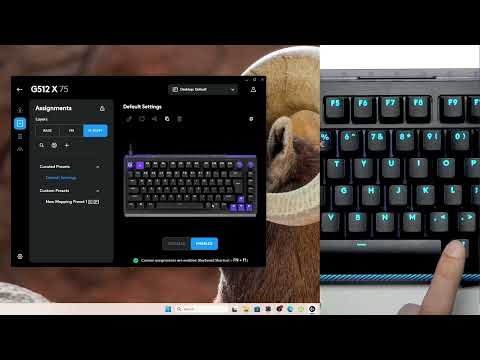
Want to add a second layer of custom shortcuts on your Logitech G512 X 75 keyboard? In this video I show you how to configure the G-Shift modifier in G-Hub so you can trigger secondary functions with ease. You’ll start by opening the G-Hub application and selecting your keyboard menu, then disabling onboard mode. Next, navigate to the Assignments tab and locate the G-Shift category. Here, you’ll add the G-Shift button to either the base layer or the FN layer. Once that’s done, select any key on your keyboard, click it, and choose Remap to G-Shift. Finally, hold down the assigned modifier key (such as right-alt) while pressing another key to trigger that secondary function.
How to set up G-Shift for dual key on Logitech G512 X 75?
Where is the Assignments tab in Logitech G-Hub?
How to remap a key to G-Shift in Logitech G-Hub?
0:00 Intro – setting up G-Shift for dual key functions
0:21 Disable onboard mode and access Assignments tab
0:41 Add G-Shift button to base layer
1:00 Configure…

著者について