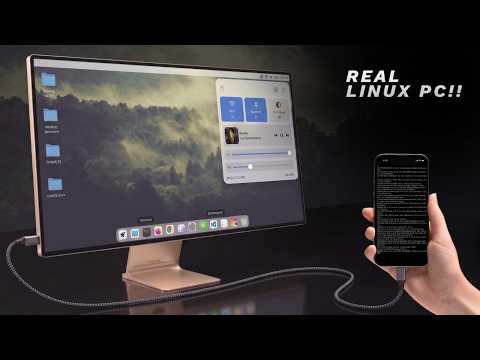
This is a full Linux desktop running directly on Android with VS Code, LibreOffice, Blender, Wireshark, Metasploit, local AI models, and even a Raspberry Pi monitor setup.
Connect it to a monitor and it becomes a portable Linux workstation.
And the best part — this works on almost any Android phone.
Connect it to a monitor and it becomes a portable Linux workstation.
And the best part — this works on almost any Android phone.
In this video, I show:
• Full Linux desktop on Android
• Termux + Termux X11 setup
• TUR (Termux User Repository) installation
• Proot Ubuntu container setup
• VNC setup for monitor support
• Raspberry Pi Zero 2W bridge setup
• Running Linux apps like VS Code, Blender, Wireshark, Firefox, LibreOffice and more
• Local AI models running directly on phone hardware
This is not an emulator.
Linux gets direct access to the phone’s kernel, which makes performance surprisingly usable for real work.
If your phone supports USB-C display output, setup is even easier.
If not, I show how to use a Raspberry Pi as a bridge to run the full desktop on an external monitor.
Scripts + full setup guide:
ht…

著者について