Copied something new and lost what you copied before? Windows keeps your clipboard history.
1. Copy one thing, then another
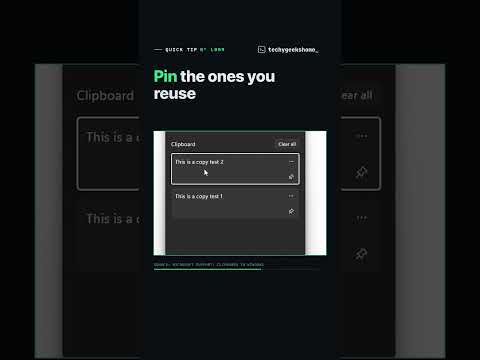
2. Press Windows key + V and your clipboard history pops up
3. Click any item and it pastes wherever your cursor is
4. Pin the ones you use a lot: pinned items stay after a restart
First time? Press Windows key + V and select Turn on. It keeps up to 25 items.
Source: Microsoft Support, Clipboard in Windows.
More Windows fixes and guides: https://techygeekshome.info/
Follow TechyGeeksHome:
TikTok: https://www.tiktok.com/@techygeekshome
Instagram: https://www.instagram.com/techygeekshome.info
Facebook: https://www.facebook.com/profile.php?id=61594674665144
#windows #windowstips #pctips

著者について